Windows 10 & 11
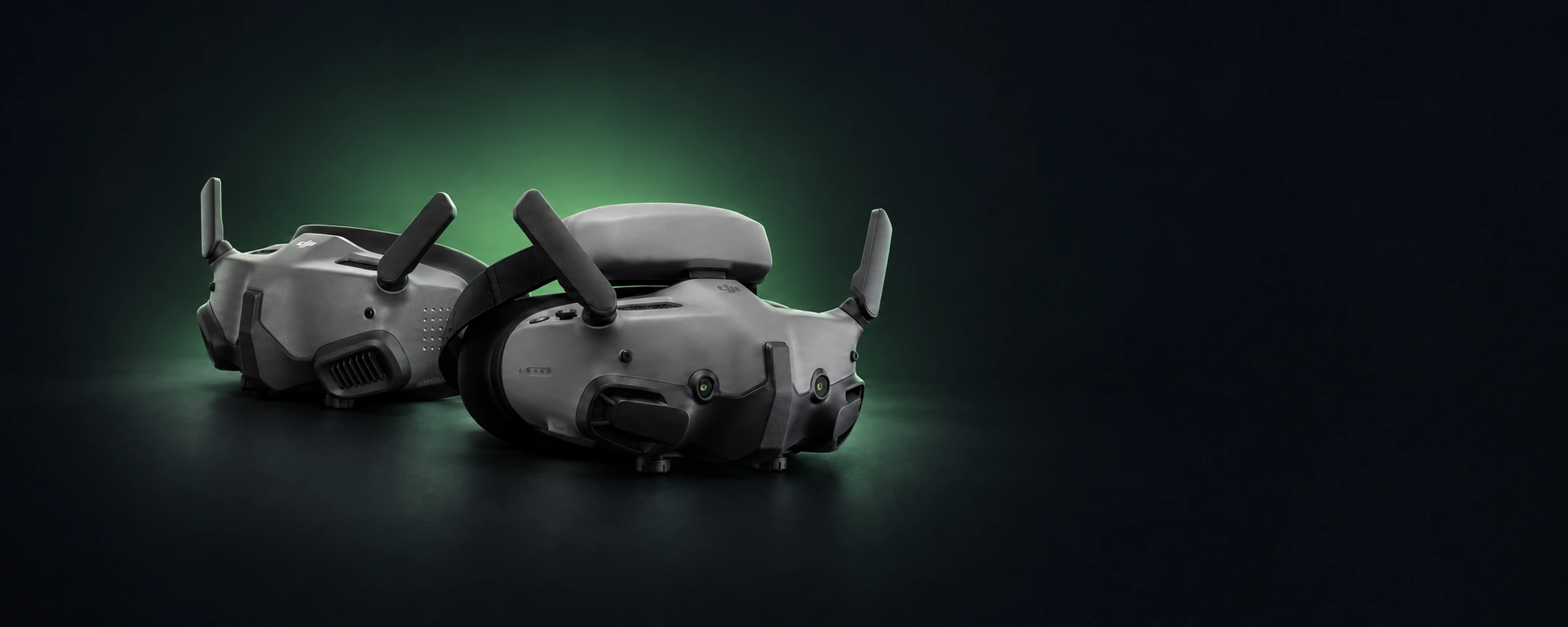
Stream video to DJI Goggles or any other DLNA device
Play local files, your desktop, capture devices, and video URLs on DJI Goggles, TVs, projectors, or any DLNA or UPnP renderer on your network.
Select source, select device, press play.
Get it fromMicrosoft Store
One-time purchase$14.99 USDNo subscription


Files, screens, captures, URLs
Open a local file, stream a monitor, pick a webcam or HDMI capture card, or paste a video URL.
Split audio that stays in sync
Video on the renderer, audio on a local speaker or Bluetooth headphone. Sync locks automatically and holds, with a one-time fine adjustment for your headset's fixed delay.
Local network only
Plays files over your local network. No accounts, no cloud, no telemetry.
Screenshots
What it doesn't do
- No accountNothing to sign up for. No email required.
- No cloudVideo files never leave your local network.
- No telemetryNo analytics, usage tracking, or remote crash reporting.
- No advertisingNo banners, no upsells, no referral links.
Common questions
- Can I stream movies to DJI Goggles 2 or DJI Goggles 3 from Windows?
- Yes. GogglePlayer streams local video files from Windows to DJI Goggles 2 and 3 over your local network using DLNA. Setup, from the Wireless Streaming menu on the goggles to the first Play, is in How to Watch Movies on DJI Goggles.
- Does GogglePlayer work with MKV, HEVC, AV1, AC3, or DTS files?
- Yes. The goggles play H.264 video with AAC audio most reliably, so files already in that format play directly. H.264 inside MKV or AVI is repackaged to MP4 with no quality loss, so it plays and seeks like a normal file. HEVC, AV1, and 10-bit video are converted to H.264 automatically; AC3 and DTS audio are converted to AAC.
- Can Windows Media Player stream to DJI Goggles?
- Sometimes, for plain MP4 files. GogglePlayer adds support for MKV, HEVC, AV1, AC3, DTS and other formats, plus automatic audio sync and Bluetooth audio routing for use with DJI Goggles.
- Can I use Bluetooth headphones while watching on DJI Goggles?
- Yes. Pick the Local audio output and choose your Bluetooth headphones from the device list. Video plays on the goggles, audio plays on the headphones, and the app keeps them in sync automatically. A one-time offset is there if you want to fine-tune for your headset. The setup, and which way to nudge the offset, is in Video on DJI Goggles, Audio in Your Headphones.
- Will GogglePlayer stream video to an LED projector or smart TV?
- Yes, if the device supports DLNA (sometimes labeled UPnP or "Cast via media server"). Most smart TVs do. Cheaper LED projectors vary; many only accept HDMI or screen mirroring, so check the spec sheet for DLNA. GogglePlayer was built for picky renderers like the DJI Goggles, so devices with broader format support work too.
- Can DJI Goggles mirror my Windows desktop, or be used for gaming?
- Yes to desktop mirroring. Pick a screen on the Capture tab and it streams to the goggles. The picture runs a few seconds behind your PC because the goggles buffer incoming video, so it works for watching (including live video in a browser), not for gaming. Sound streams along with it, or plays on local headphones with a delay control so it matches the picture. DRM-protected video from paid streaming services can come out as a black picture; that protection is enforced by Windows.
- Does GogglePlayer need internet access?
- No, not for local streaming. Video goes from your PC to the goggles over your local network. Internet is only used for Microsoft Store updates and for optional URL playback/download features.
Recent updates
- 1.1.6September 2026
- Added a German app translation (Settings → Appearance → Language). The default is the Windows display language.
- H.264 videos with AC3, E-AC3 or DTS sound start right away, only the sound is converted.
- Videos without sound no longer stall the goggles.
- Better support for non-Latin languages.
- A reconnecting Bluetooth headset no longer freezes the window.
- 1.1.5September 2026
- The audio track you pick is the one that plays, on the goggles and on headphones.
- Stop followed by a quick Play no longer stops the new playback.
- A sleeping drive or an offline network share no longer freezes the window.
- Switching between Wi-Fi and Ethernet no longer needs a restart.
- Keyboard shortcuts respect the focused control, and a disabled Play button says why.
- 1.1.4September 2026
- Seeking, pause and resume are more reliable, including after a long pause.
- Stop, Pause and Play are confirmed with the device, and playback starts reliably regardless of file size.
- Webcams and capture cards can stream their own audio.
- Improved log window.